Neon Photo Ideas: Glowing City Looks to Try Tonight
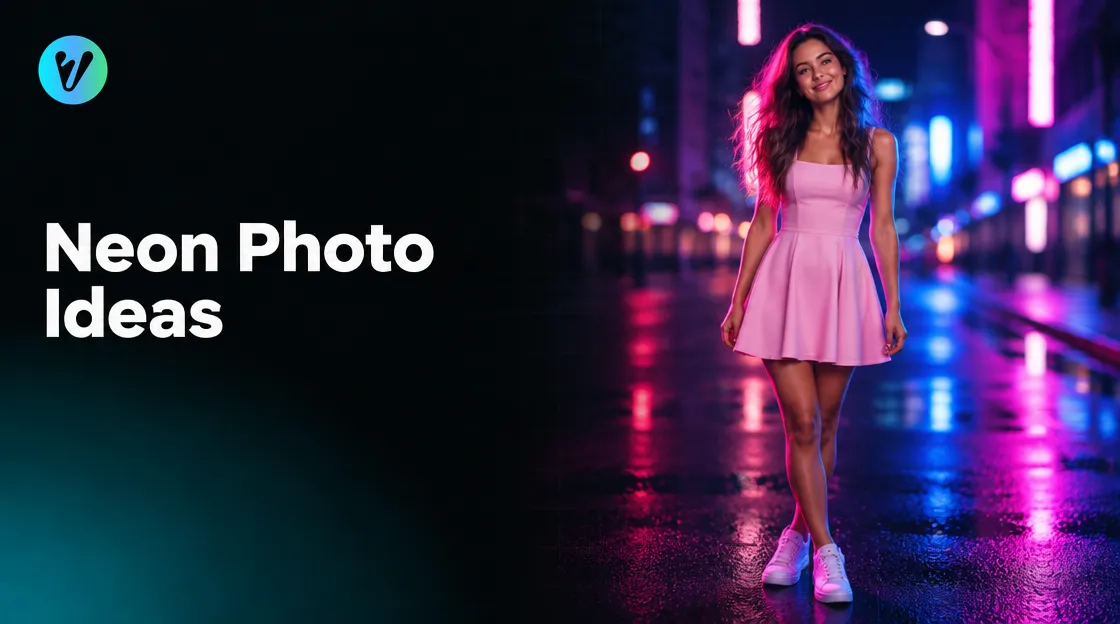
Neon photo ideas start with glowing colour and a lively city scene. This guide gives you simple things to try with a phone, plus exposure tips from a university course page. It also shows how one style can give your photo a neon city look.
When your photo is ready, the Neon City Portrait style in Voymage is worth a look. The page describes lifestyle portraits filled with playful charm and glowing neon city backdrops. The steps are after the ideas.
Neon Photo Ideas to Try Tonight
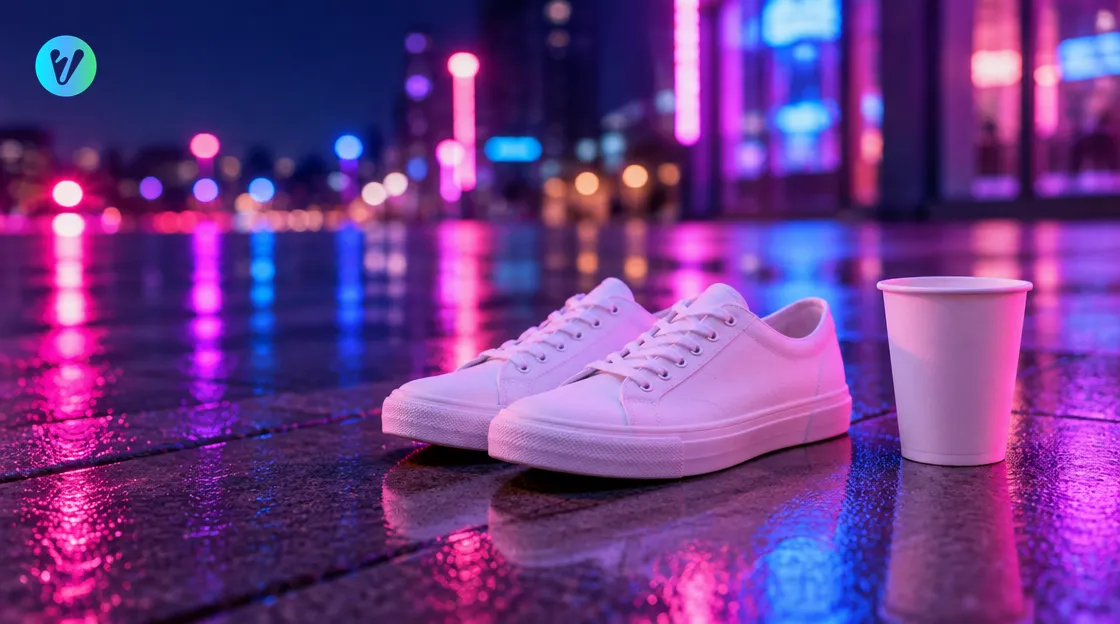
The style page names four ideas: vibrant neon street vibes, a playful style, an urban neon atmosphere and a dynamic lifestyle moment. Use them as a guide. Pick two or three of the ideas below and keep the rest of the scene simple.
- Glowing colour. Look for pink, blue and violet light, and let it fall on your hair and clothes.
- A candid walk. Walk toward the camera with a relaxed, natural look.
- Bubble tea in hand. Hold a plain cup and give the camera a cheeky expression.
- Busy-street energy. Stand where people are moving and let the crowd pass around you.
- A casual outfit. Wear a pastel pink skater dress, white sneakers and simple accessories.
- A close crop. Move in until the glow fills the frame.
- A glance back. Look over your shoulder toward a bright patch of colour.
Take several frames of each idea. Choose the one where the colour and your face are both easy to see.
Ask a friend to take the photo while you move. Take a quick burst of frames, then pick the sharpest one.
Colours and Outfits for the Glow
The style page suggests a fun, youthful look. It highlights pastel pink skater dresses, white sneakers and casual accessories. It also describes blending casual fashion with cinematic detail.
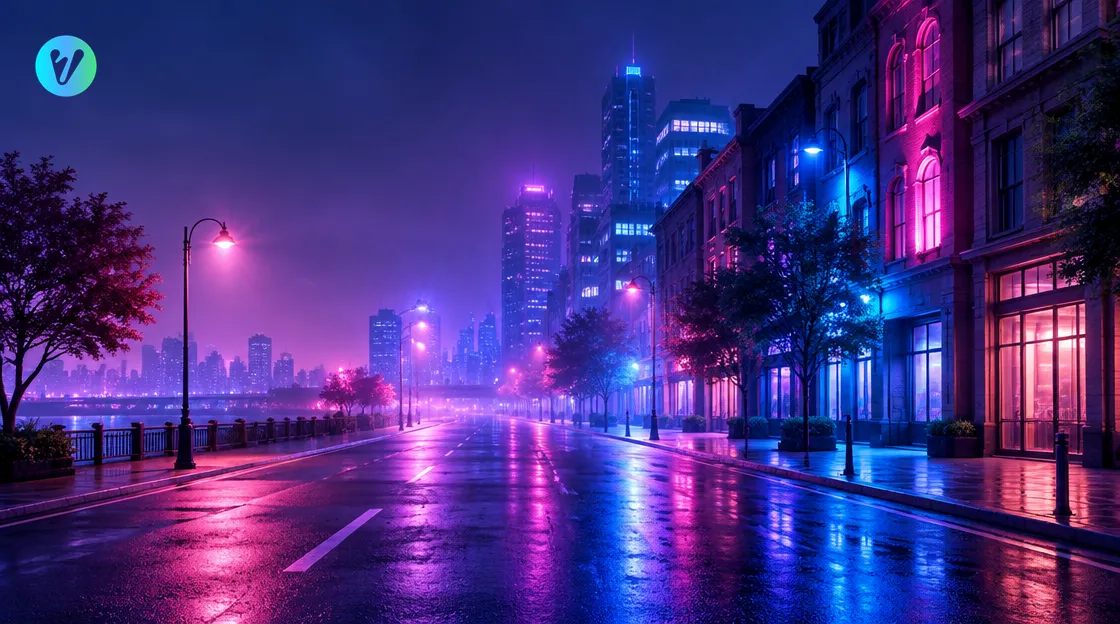
The page describes glowing pink, blue and violet neon lights that reflect on hair and outfit details. Try the same colours in your own scene. Pick clothes with a plain surface, so the colour of the light shows clearly.
Keep your accessories few. Pick one bag or one pair of glasses. Check that nothing shows a brand name or a logo.
Expose for Neon Lights
A university course page on night photography says neon lights provide excellent colorful subjects. It tells you to take care not to meter off one of the bright lights, or the rest of the scene will be too dark. It also says to avoid metering from a dark area, or the lights will be over exposed.
On a phone, try tapping the screen on your face or on a wall, not on the brightest light. If the frame looks too dark or too bright, tap a different spot and look again.
The same page says to try to fill the frame with an interesting crop. Move closer, or step to the side, until the glow fills the picture. Keep your hands steady, or rest your phone on a wall.
Use this order when you shoot. Stay on the pavement and away from traffic, and keep your phone strap on your wrist.
- Choose a spot. Stand where the pink, blue or violet light reaches your face and clothes.
- Check the frame. Look at the screen and see whether the colours and your face are both clear.
- Set the exposure. Tap your face or a wall, not the brightest light.
- Take a burst. Shoot several frames while you move, then review them on a larger screen.
How the Neon City Portrait Style Works
The style page says you upload your photo and select the aspect ratio you want. It says the system analyses the photo, applies the style's characteristics and gives you a finished Playful Neon City Portrait, ready to download. Using it takes three steps.
- Upload your photo. Drag and drop an image, or choose one from your device. You can also pick a style first to preview how your photo will transform.
- Choose the aspect ratio. Pick the shape you want.
- Generate and download. Your finished image is ready in seconds.
Open your finished image at full size. Check that the colours and your face are easy to see. If you want a different look, try another starting photo.
Pick a Starting Photo
- Choose a sharp photo with a clear face.
- Pick plain clothes, so the colour of the light shows.
- Keep hats and glasses from hiding the face.
- Show your face and shoulders inside the frame.
- Skip photos with heavy filters or a strong flash.
If you have two or three similar photos, try each one and see which you prefer. Keep the sharpest one as your starting photo. Wipe your phone lens before you shoot. Hold the phone level and keep your subject inside the frame.
Try a photo taken beside a window in daylight. Stand still for the first frame, then move for the next ones. Compare them on a larger screen, and keep the one with the clearest light on your face.
Common Mistakes to Avoid
- Metering off a bright light. The rest of the scene goes too dark.
- Metering from a dark area. The lights end up over exposed.
- Busy patterns. Choose plain clothes so the coloured light is easy to see.
- A shaky phone. Keep your hands steady, or rest the phone on a wall.
- A hidden face. Keep hats and glasses out of the way.
- A blurry starting photo. Pick a sharp photo before you upload it.
- Skipping a test frame. Take one quick frame and check it before you shoot the rest.
- Too many ideas at once. Pick two or three neon photo ideas and shoot them well.
Want a different look? Browse the everyday styles page for more portrait looks. The Studio Hub is one start page with entries for Everyday, Product and Baby styles, Studio Apps and Trending Styles.
Conclusion
Good neon photo ideas need glowing colour, a clear face and the right exposure. Tap your face, not the brightest light, and keep your outfit simple. Then open the Neon City Portrait style, upload your sharpest photo and choose the aspect ratio.
Voymage is also available as an app. Get Voymage on Google Play.
Frequently asked questions
What are some neon photo ideas to try?
Try glowing pink, blue and violet light on your hair and clothes, a candid walk, bubble tea in hand or a close crop. Pick two or three and keep the scene simple.
What does the Neon City Portrait style do?
The page says it gives your photo a Neon City Portrait look with glowing neon lights, bold contrasts and a futuristic city vibe.
What should I wear for a neon city look?
The style page highlights pastel pink skater dresses, white sneakers and casual accessories for a fun, youthful look.
How do I stop a neon scene from looking too dark?
A university course page says to take care not to meter off one of the bright lights, or the rest of the scene will be too dark.
Can I choose the aspect ratio?
Yes. The style page says to upload your photo and select the aspect ratio you want.
Which starting photo works well?
Choose a sharp photo with a clear face and plain clothes. Try two or three photos and keep the sharpest one.